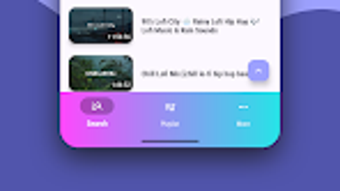

Download Pearl – music player offline, free music app, offline music, MP3 player, video player
Overview
Pearl - Music Player Offline is a lightweight desktop application designed for users seeking a simple, reliable way to enjoy music and video content without relying on an internet connection. Built with a focus on accessibility and ease of use, the software enables seamless playback of MP3 audio files and MP4 video files, making it ideal for individuals who prioritize offline media consumption. The app follows a minimalist design philosophy, aligning with modern interface standards to deliver a clean and distraction-free experience. It is tailored for everyday users, students, travelers, and professionals who need a no-frills tool for managing personal media libraries.
The developer, Pearl Music, has positioned the software as a secure, permission-free utility that requires no registration or account creation. This makes it particularly appealing to privacy-conscious users who prefer applications without data collection or intrusive access requests. The app supports background playback, allowing users to continue listening to music even when the screen is off or the application is minimized. Additionally, playback controls are accessible via the notification bar and lock screen, enhancing usability during daily tasks. While the software is designed for offline use, the developer did not specify whether it supports online content or cloud integration.
Key Features & Capabilities
- Offline Media Playback – Play MP3 music and MP4 videos locally without requiring an internet connection, ideal for travel, commuting, or areas with limited connectivity.
- Minimalist Interface – Features a clean, intuitive design based on Material 3 principles, reducing visual clutter and improving navigation efficiency.
- Playlist Creation – Allows users to organize audio and video files into custom playlists for quick access and personalized listening or viewing sessions.
- Background Playback – Continues audio and video playback even when the screen is off or the app is minimized, supporting uninterrupted media consumption.
- Notification and Lock Screen Controls – Provides playback controls through the system notification panel and lock screen, enabling convenient access without opening the app.
- Lightweight Design – The application is optimized for low resource usage, ensuring smooth performance on devices with limited processing power or memory.
- Ad-Free Option – While the app includes minimal ads, users can remove them through an in-app option, offering a fully ad-free experience at no additional cost.
These capabilities make Pearl well-suited for users managing personal media collections, such as music libraries or video recordings. The ability to create playlists enhances user engagement, while background playback supports multitasking scenarios. The absence of sign-up requirements ensures immediate usability, and the focus on offline functionality reinforces its role as a dependable standalone tool.
User Interface, Workflow & Performance
The user interface of Pearl is structured around simplicity and efficiency. The main screen displays a streamlined library view, organizing media files by artist, album, or file name, depending on the user’s preference. Navigation is intuitive, with clearly labeled menus and touch-friendly controls that support quick access to playback functions. The design emphasizes readability and responsiveness, minimizing the need for complex gestures or hidden settings.
Workflow efficiency is enhanced by the app’s direct file access and drag-and-drop support for playlist creation. Users can import media files from local storage or connected devices with minimal steps, reducing setup time. The playback interface includes standard controls such as play, pause, skip, and volume adjustment, all accessible from the central playback screen or via system-level controls.
Performance details were not specified by the developer. However, the lightweight nature of the application suggests optimized memory and CPU usage, which may contribute to stable operation on older or low-end devices. The developer did not provide information on stability under prolonged use or during simultaneous tasks. General software behavior patterns indicate that the app likely maintains consistent performance during normal playback, but exact resource consumption remains unverified.
Compatibility & System Requirements
Pearl is compatible with Android 6.0 and above, ensuring broad accessibility across a wide range of mobile devices. The application has a download size of 12.5 MB, indicating a compact footprint that minimizes storage impact. This makes it suitable for devices with limited internal memory or older hardware.
Exact system requirements were not listed. The developer did not specify minimum RAM, CPU architecture, or storage type requirements. Platform compatibility information is limited to the OS version, leaving details about hardware performance and integration with external peripherals unconfirmed. Users should ensure their device meets the minimum Android version to install and run the software successfully.
Pros and Cons
Pros
- Free to download and use with no mandatory account creation
- Supports offline playback of MP3 and MP4 files
- Minimalist, user-friendly interface aligned with modern design standards
- Background playback and lock screen controls for uninterrupted use
- Lightweight and efficient, suitable for low-end devices
- Ad removal option available without cost
- Quick playlist creation and file organization
Cons
- Exact performance and resource usage details were not provided
- Compatibility with devices beyond Android 6.0 is unconfirmed
- No information on support for additional audio or video formats
- Developer did not specify update frequency or long-term maintenance plans
- Limited to offline functionality; no cloud sync or online streaming
FAQ Section
Is Pearl available for Windows or Mac?
The software is currently designed for Android devices. There is no official desktop version available for Windows or Mac as of the release date.
Is the app safe to download and use?
Pearl - Music Player Offline does not require additional permissions or sign-up, which reduces potential security risks. It is available on Google Play, a trusted platform for Android applications.
How often are updates released?
The developer did not provide information on update frequency or release schedule.
Can I use Pearl without internet access?
Yes, the app is specifically designed for offline use. All media playback occurs locally, with no dependency on an active internet connection.
Is the app truly free, or are there hidden costs?
Pearl is free to download and use. An in-app option allows users to remove ads at no cost, ensuring a completely free experience without premium subscriptions.
Final Thoughts + CTA
Pearl - Music Player Offline stands out as a focused, no-nonsense tool for users who value simplicity and privacy in their media playback experience. Its minimalist interface, background playback, and playlist functionality deliver a smooth offline experience without unnecessary complexity. While detailed technical specifications are limited, the app’s lightweight design and lack of account requirements make it a trustworthy choice for casual listeners and frequent travelers alike.
For those seeking a secure, free, and efficient way to play music and videos offline, Pearl offers a compelling solution. Its ability to run without internet access, coupled with intuitive controls and ad removal options, enhances its appeal. Although it lacks advanced features like cloud sync or format support beyond MP3 and MP4, it excels in its core purpose.
Download Pearl now and enjoy your favorite media anytime, anywhere — without the need for an internet connection.







